


Loading

There are numerous compelling reasons for the best school to partner with us and taste our services first hand. Some of the most promising premises to engage with us are as below:
01 / 35
Capture a student's entire academic journey in a customized video showcasing achievements in academics, extracurriculars, and sports. A compelling way to present progress and celebrate milestones.
Get ready to embrace a holistic view of student progress with "PVR"
The ultimate tool to encapsulate an entire year's worth of achievements in a nutshell
Impress parent's with mesmerising video capturing child's performance.
Chronicle your child's entire year's journey in an impactful personalised video.
The ultimate tool to encapsulate an entire year's worth of achievements in a nutshell Exclusive custom made for each student.
This captivating video encapsulates the year's accomplishments in a concise yet comprehensive manner.
It showcases data across various domains, including academics, extracurricular activities, sports, events, and comments, providing a holistic view of the achievements throughout the year.
02 / 35
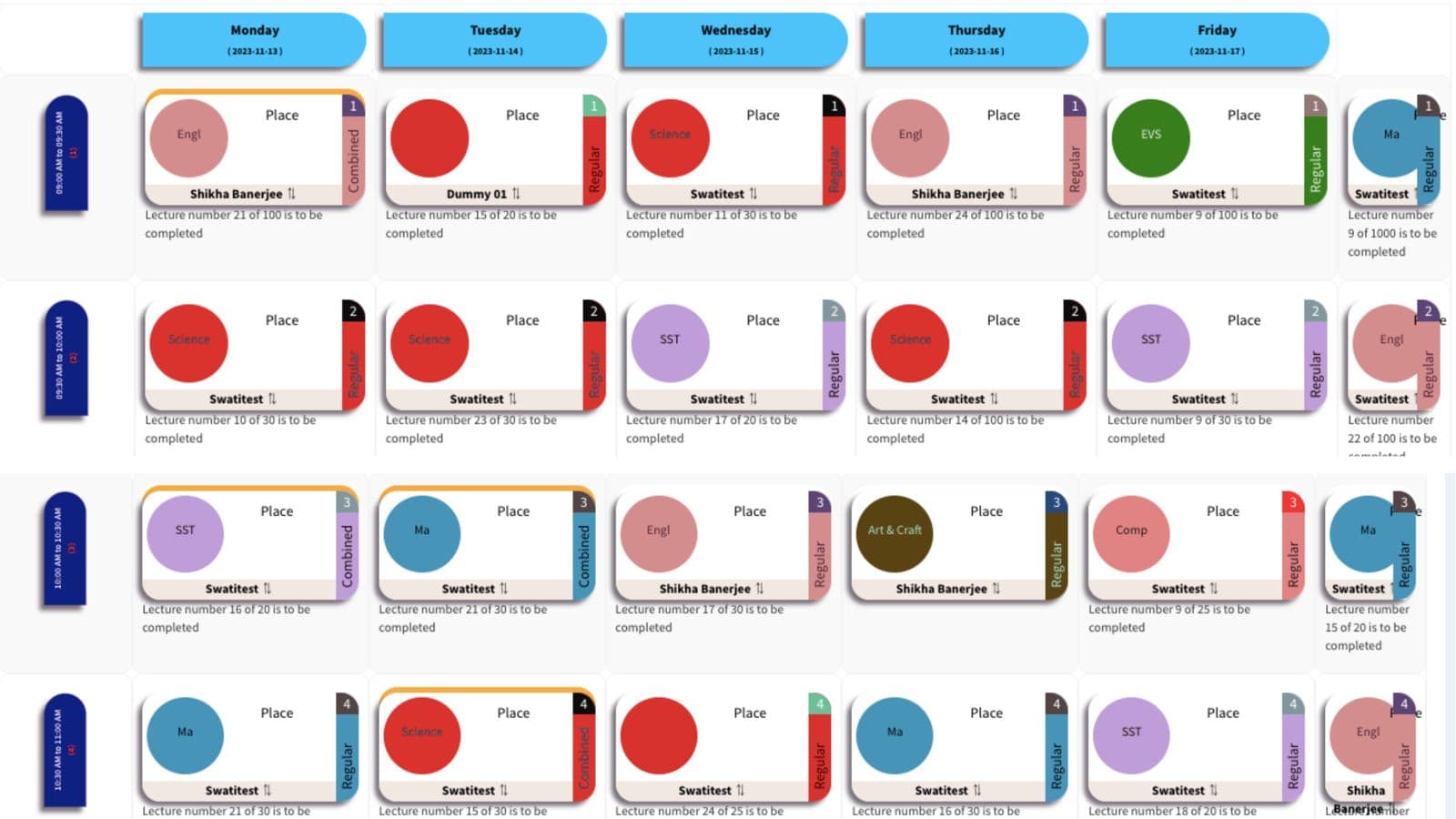
Automate scheduling with intelligent teacher allocation, leave management, and workload distribution. Instantly generate and adjust timetables with real-time conflict resolution.
Complex Timetables Made Easy
Now you DON'T have to fret over last minute teacher absentees or leaves!
Get ready to be impressed by our SchoolBellQ's powerful code writing.
Our latest module is here to help you untangle the knots and provide a solution.
Seamless Scheduling
Easy Workload Distribution
Proxy & Leave Management
Combined & Optional Scheduling
Enhanced Reporting and Analytics
Conflict Resolution
Easy Input Sheet matrix. User enters number of classes per subject per week
Users fix teachers required per class
Intelligent enough distinguish two distinct periods together, e.g, Practicals
Input summary available at each page to help with accurate input
Automated as well as manual substitute assignment for teacher absences.
Instant generation of class-wise & Teacher wise Timetable Report.
User-friendly interface for easy manual adjustments.
Seamless distribution of timetables to staff and students.
Swift Email alerts for relevant stakeholders.
Strikingly beautiful visual of Timetable output
03 / 35
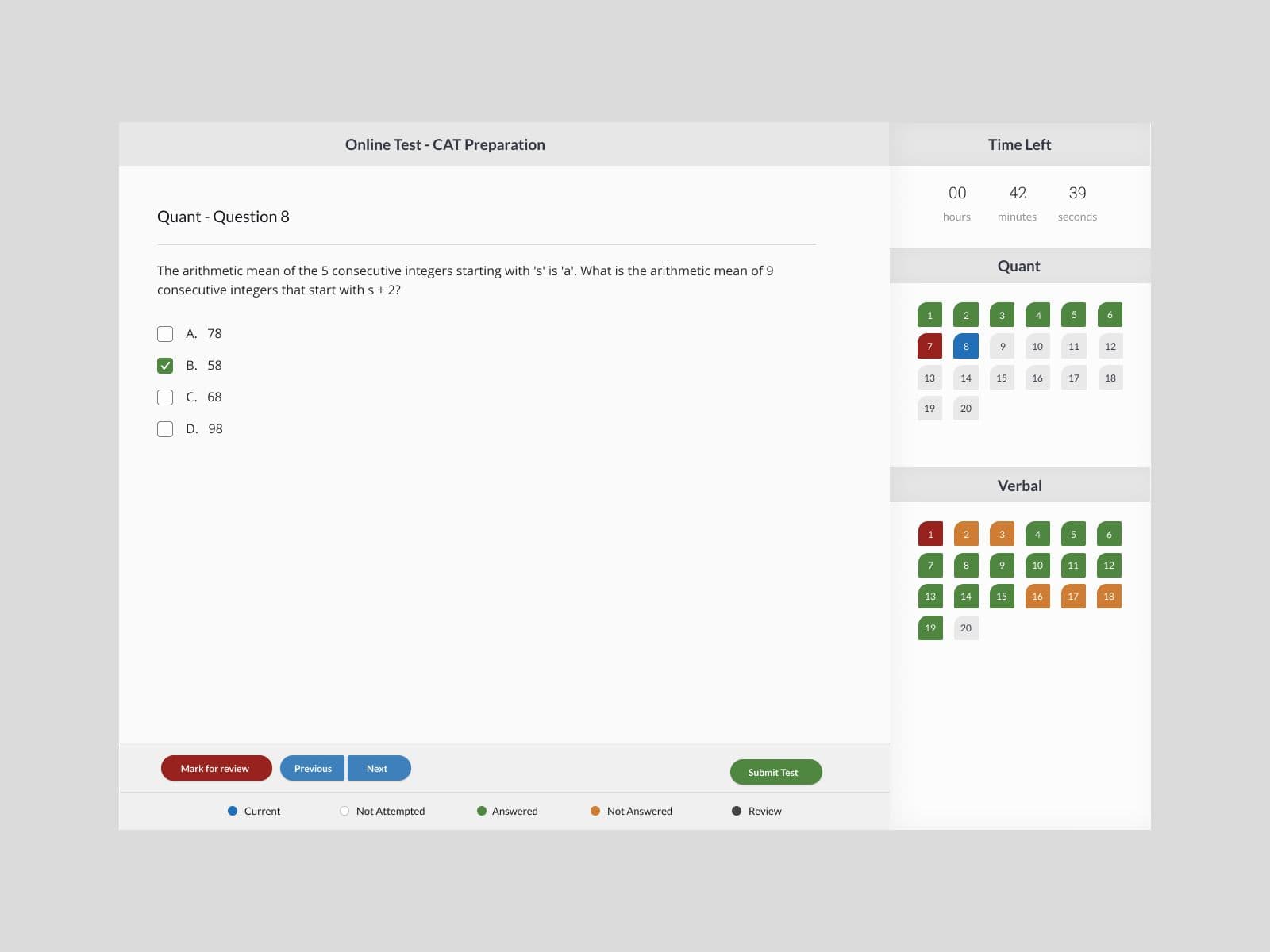
Generate unique, structured question papers with calibrated difficulty and chapter-wise tagging. AI proctoring ensures a secure exam environment while enhancing student learning outcomes.
All 40 students receive unique question paper
All 40 question papers conforms to the same calibrated criteria.
A proprietary algorithm makes our Online tests throw a question to users based on the purpose of the examinee, from a Learner mode to a Testing mode.
The sequence & selection of the question makes our platform highly effective for the holistic development of student/test-takers.
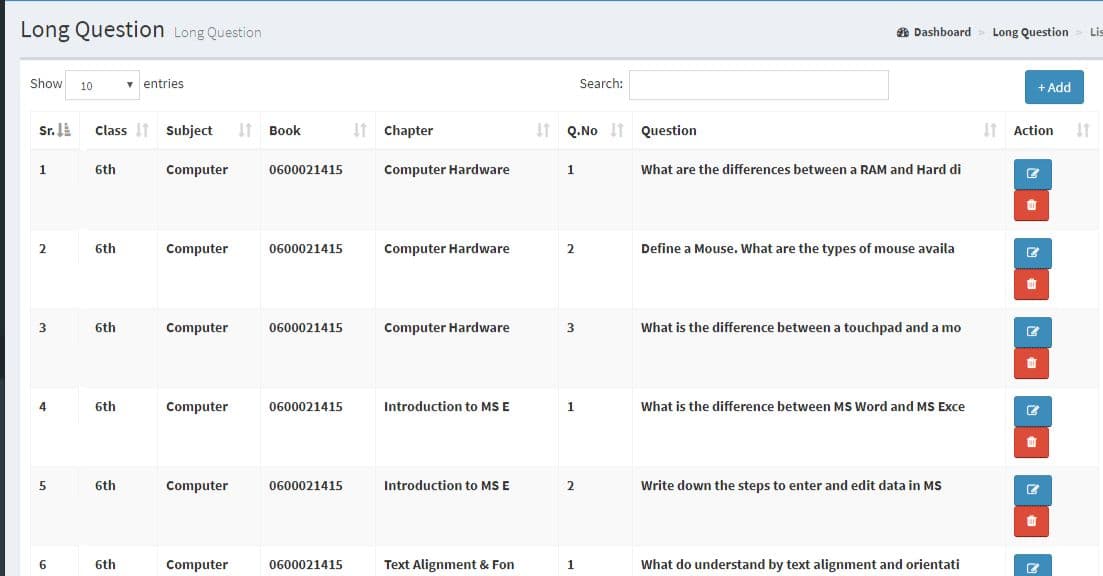
Ready to use CBSE k-12 question bank
The Enriched CBSE K-12 question bank offers a comprehensive and diverse set of thought-provoking questions. The question bank provides a wealth of challenging exercises to empower learners. Its content covers the entire CBSE syllabus for K-12 education. The question bank is aligned with CBSE guidelines and curriculum standards.
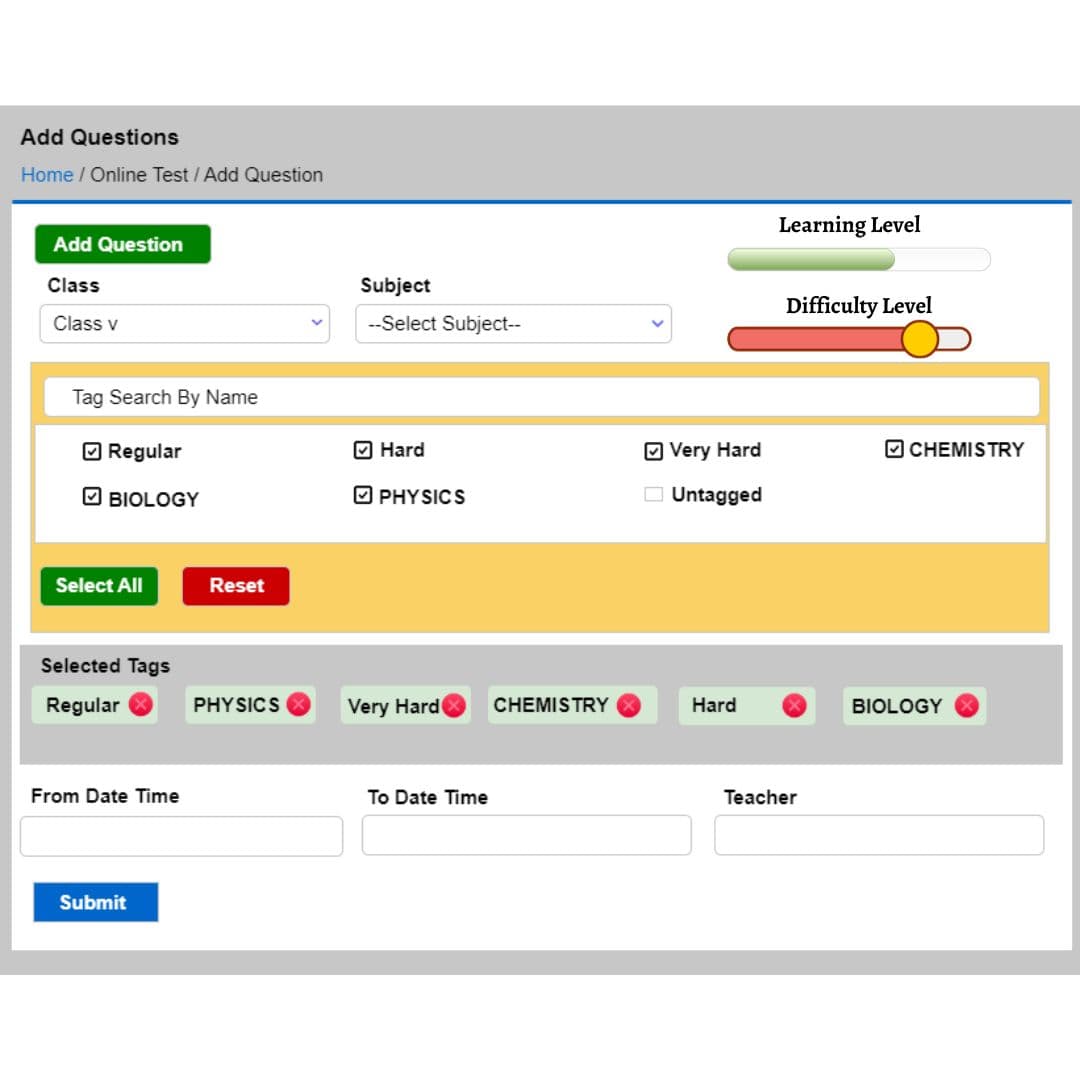
Chapter wise and micro tagging
Chapter-wise tagging simplifies the process of categorising educational content into specific topics. Chapter-wise tagging also assists educators in designing more targeted lessons and assessments, aligning with specific learning objectives. Each chapter is tagged, making it easy for to locate relevant content quickly. The chapters are further divided into sub-tags, focusing on specific headers from that particular chapter only.
Improving the Weak Areas
Categorising questions based on learning level and difficulty level helps in understanding students' proficiency and readiness. By identifying and addressing weak areas, students can improve their overall performance and understanding of the subject matter. The approach of categorizing questions based on difficulty level encourages gradual progression and skill development.
Safeguarded against cheating
The AI proctoring system operates in real-time, continuously analysing student actions to maintain a secure exam environment. AI proctoring ensures 100% cheat-resistance during exams, eliminating the possibility of dishonest practices. It tracks eye movements, facial expressions, typing patterns, and other indicators to identify potential cheating attempts.
Enhanced Learning Outcomes:
The utilisation of online tests has led to improved learning outcomes among students, promoting a deeper understanding of the subjects.
Effective Off-Classroom Teaching:
Online tests have facilitated effective off-classroom teaching, enabling students to access educational materials beyond traditional classroom hours.
Increased Student Engagement:
Students have shown higher levels of engagement even after school hours, as they can interact with learning materials and assessments online.
Consolidated and reinforced Learning:
The integration of online tests has allowed for a consolidated approach to learning, bringing together various resources and materials in a single platform.
Leveraging Technology:
The implementation of online tests showcases the effective use of technology in the educational process, fostering a modern and dynamic learning environment.
Improved Chapter-wise Performance:
The use of online tests has resulted in enhanced student performance, with the ability to assess and address specific chapter-wise strengths and weaknesses.
04 / 35
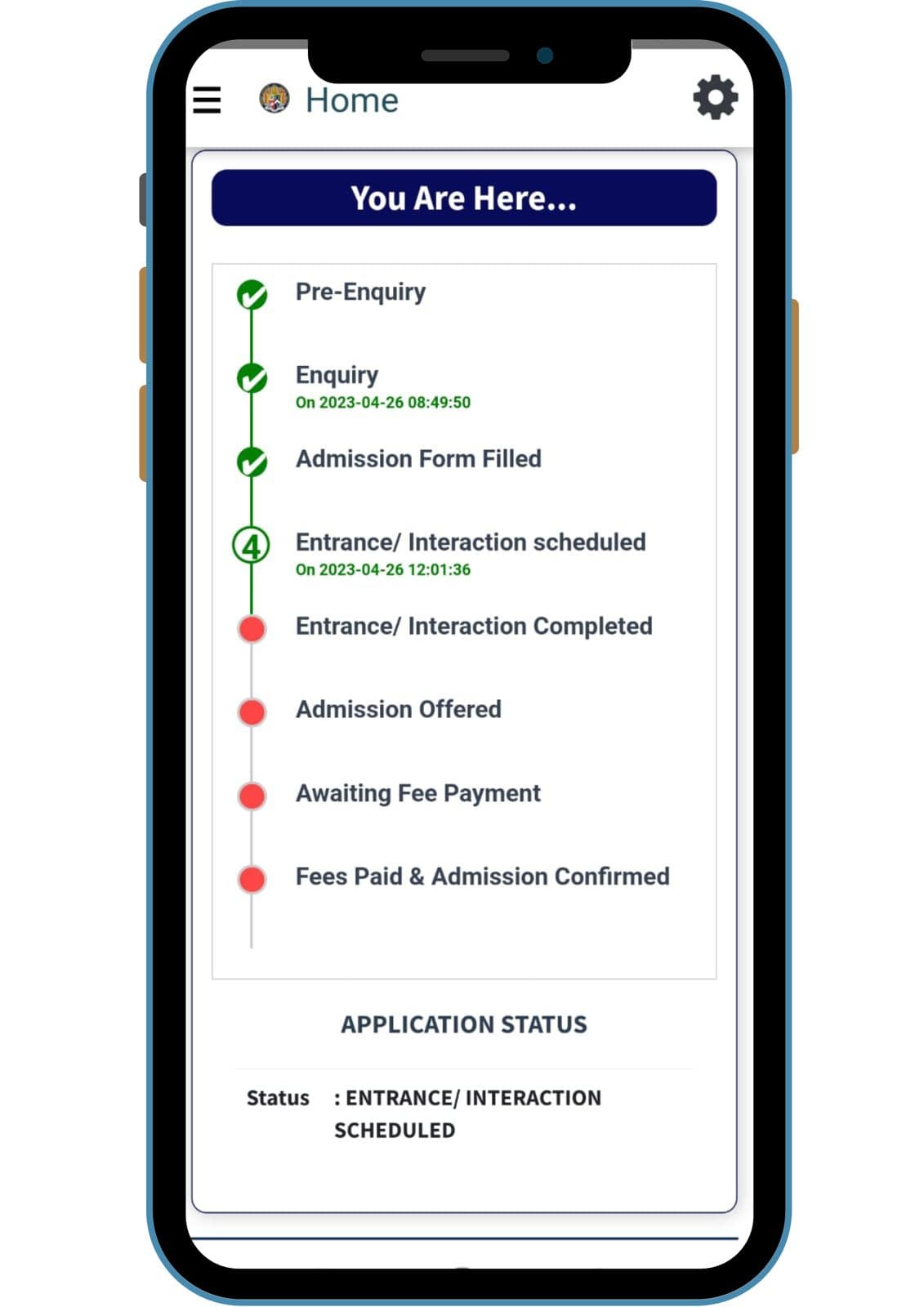
Convert inquiries into admissions with social media integration and a custom-branded school app. Engage parents early and boost your school’s brand value.
Enhance, maximize admissions with our lead management solutions
Get parents on the app right from enquiry stage
Combine Social media with digital marketing
Generate unique links for counsellor
Boosting school's Brand value
Complete branding support for school's Website
Mobile application exclusively for you
Launching in both App store & Google Play store
05 / 35
Ways to INCREASE Fee collection,With Our EasyFee Solution You Can
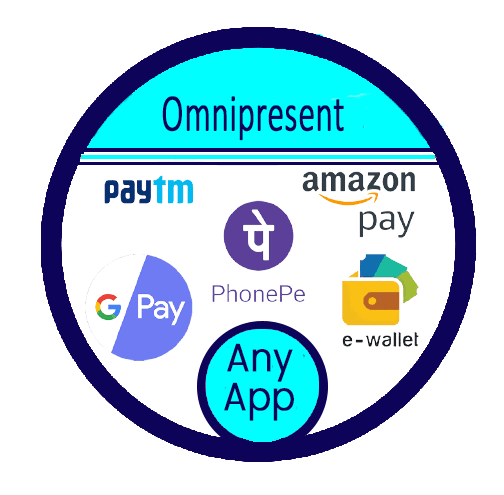
Make your Fee demand available on ALL APPS
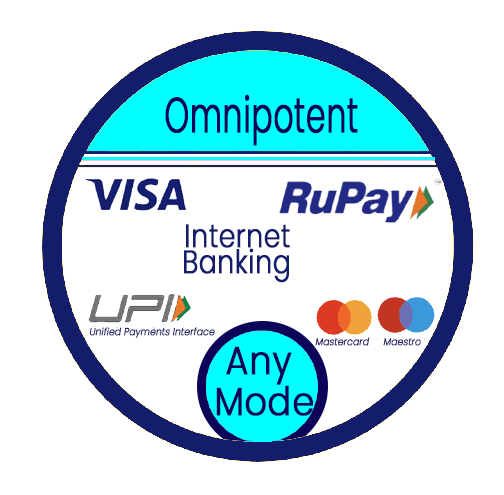
Empower parents with the choice of payment instruments
Empower parents to pay fees at low flat rates
SchoolBellQ* Services is a 100% unit of K One Ventures LLP - A Technology Services Start-Up Recognised by Government of India - Reg no - DIPP12489
Collect Fees With Ease


3Ways to INCREASE Fee collection,
With Our EasyFee Solution You Can
Make your Fee demand available on ALL APPS

Empower parents with the choice of payment instruments
Empower parents to pay fees at low flat rates

*GST extra
For Fees upto 10K @ Rs.29
25K @ Rs.39, 50K @ Rs.49
For Live Demo & Free Trial, Whatsapp : +91 - 9092005250
or Email : info@schoolbellq.com, Visit : www.schoolbellq.com
06 / 35
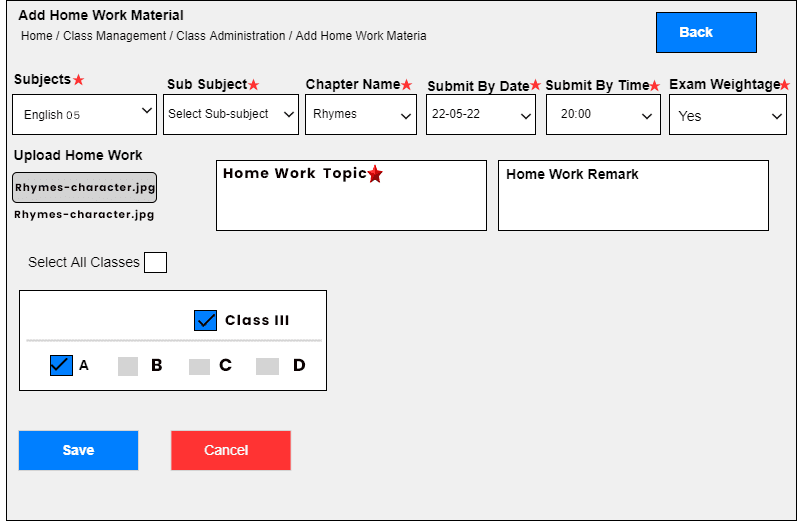
An intuitive system for assigning, tracking, and updating homework with subject-wise selection and deadline filters. Color-coded statuses help parents and students manage submissions efficiently.
Easy, Intuitive, and Richer homework tab with subject wise chapter wise selection features along with submit by date filters and sorting features
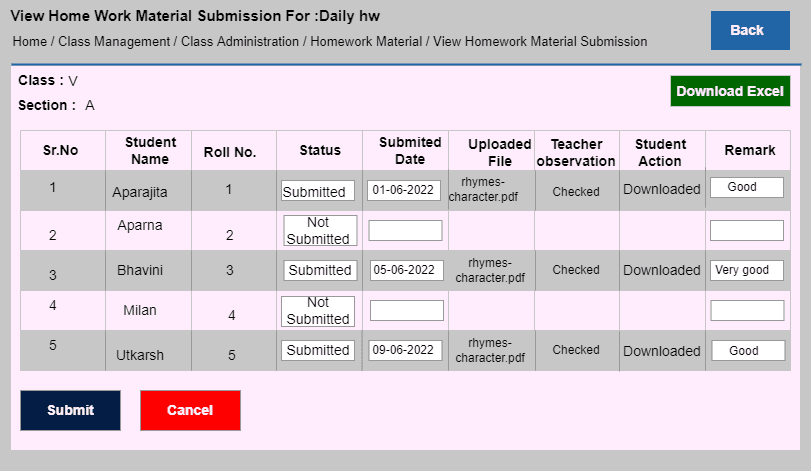
Ability to close loop the feedback on the homework by updating of homework submission status in an efficient quick manner
Easily Identifiable color codes to distinguish between the various homework status to allow parents to focus on the pending or late submission in homework
Teacher wise homework assigned analysis in Reports
Extra Curricular activity Module has a feature that lets parent see the list of activities scheduled
ECA can be assigned at a class & section level also allowing them the ability to nominate their ward to any event
Automatic customized, addressed by their names Birthday & anniversary messages to Students & Teachers respectively
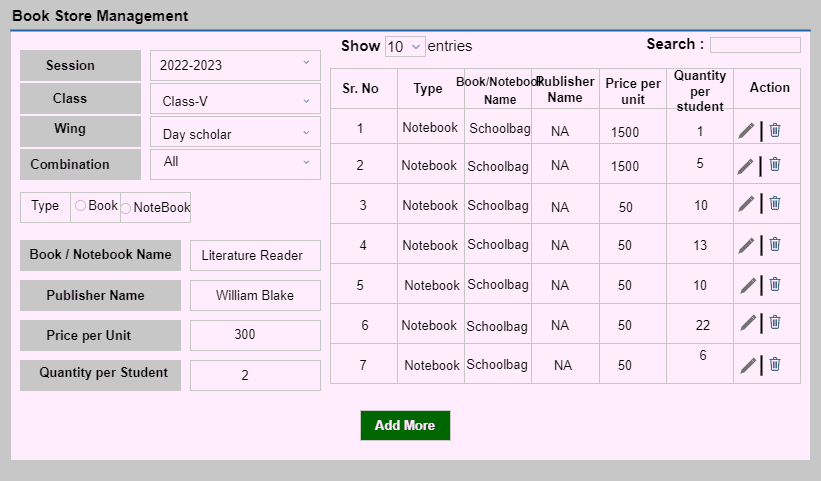
(Module to facilitate the selling of school materials online to the Parents)
Multiple Relevant books & stationery sets with various subject combinations for each class can be created and offered for sale to parents online.
Defining composition of packages and mapping to classes.
Every book set is assigned relevant subject textbooks, materials & notebooks.
It allows parents to order books from their homes and pay for them online.
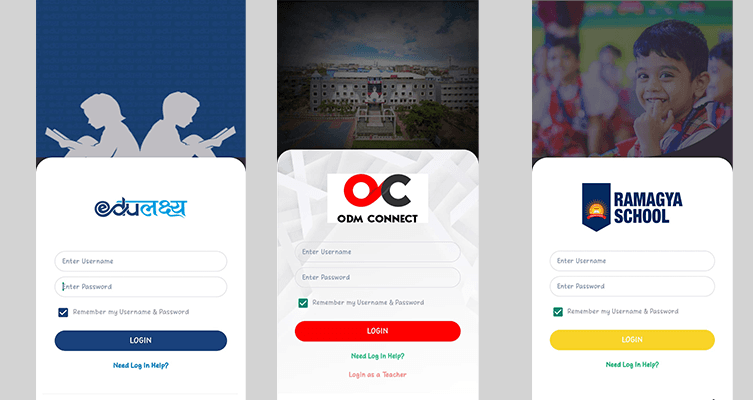
We have developed a unique ability to make customised apps in your school's name, flaunting your name and boosting the school's brand.
The school can choose the name and logo, and our team will launch the same in the App Store and the Google playstore.
We will further back it up with complete branding support of the school's custom website for the app in their URL and the comprehensive back-end customer support for a password resolution.
Content Management System
This new module under development will be likely a game-changer for schools and help them genuinely control the delivery of its academics in the classroom.
It standardises the complete pedagogy and ensures the best practices are adhered to as laid out in the delivery modules.
07 / 35
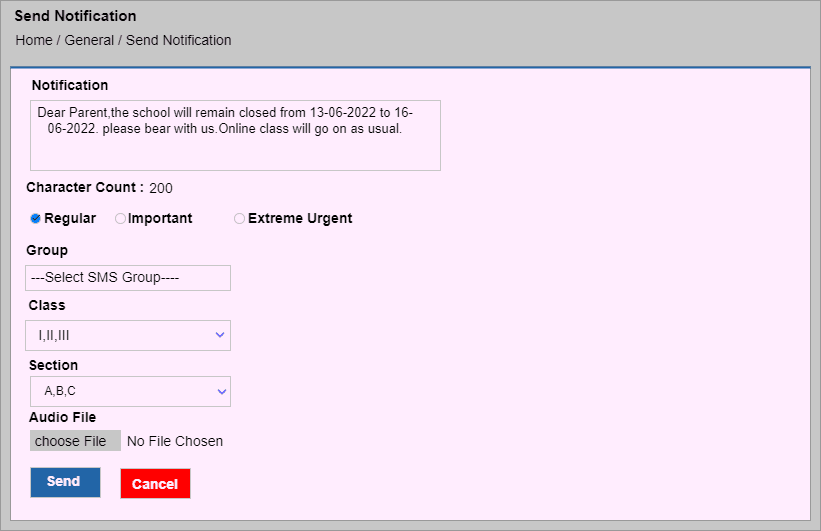
Send timely notifications to parents for regular updates, important announcements, and urgent alerts. Enhance communication with instant messaging, ensuring parents stay informed about their child's academic and school activities.
School can send notification to the parents on regular, important and urgent basis.
With about over 100 reports Our Reports module & reporting system is a treasure trove of information with various descriptive and analytical reports providing incisive and actionable insights to the school management. The reports cover entire spectrum from academics to administrative aspects. User specific reports are also available for customization
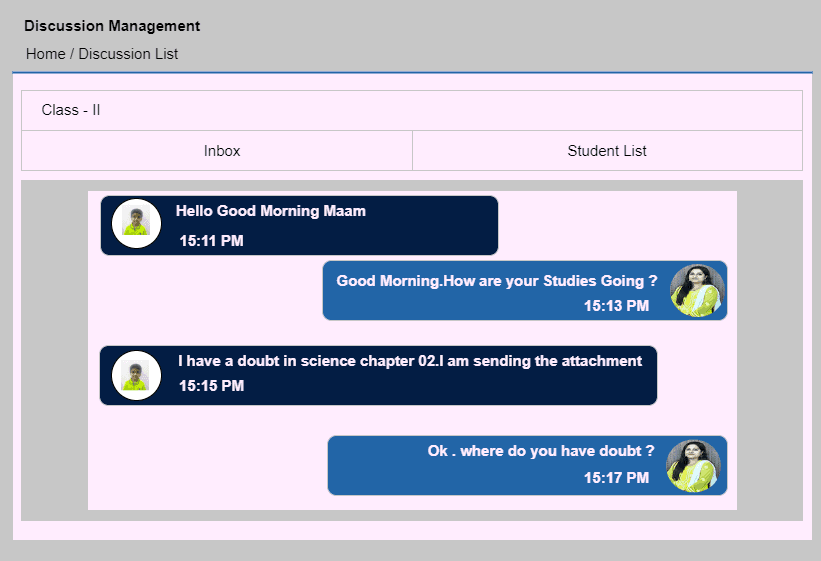
(Module to Replace Traditional diary for effective communication between Parent & School)
1. The one to one chat faclititaes faster & effective communication.
2. Instantaneous notifications to teachers and parents when chat is received.
3. Enabled on App and web login platform.
4. Allows users to attach any kind of attachments with cjat right from JPG to PDF to Excel to Microsoft's office files.
08 / 35
Host virtual events with up to 500 participants using Zoom integration. Easily add external guests, send automatic joining links, track attendance, and facilitate inter-school competitions seamlessly.
Our partnership with Zoom enables schools to use our Virtual Auditorium for up to 500 participants
It has a teriffic feature to add external participants be it school alumni or PTA Meeting.
What's more, the participants get an auto-notification with joining link at the start of the meeting & records the attendance of each user.
This feature allows to add participants competing for inter - school competitions on a large scale.

09 / 35
Empower teachers to design report cards effortlessly with drag-and-drop functionality. No IT assistance needed—create, edit, and perfect report cards independently.
Amazing new feature that empowers the teacher to design report cards with simple drag & drop.
Teachers can do as many iterations effortlessly to arrive at their perfect Report card, that too without the IT developers. It's a truly liberating experience!!!
10 / 35
Empower teachers to design report cards effortlessly with drag-and-drop functionality. No IT assistance needed—create, edit, and perfect report cards independently.
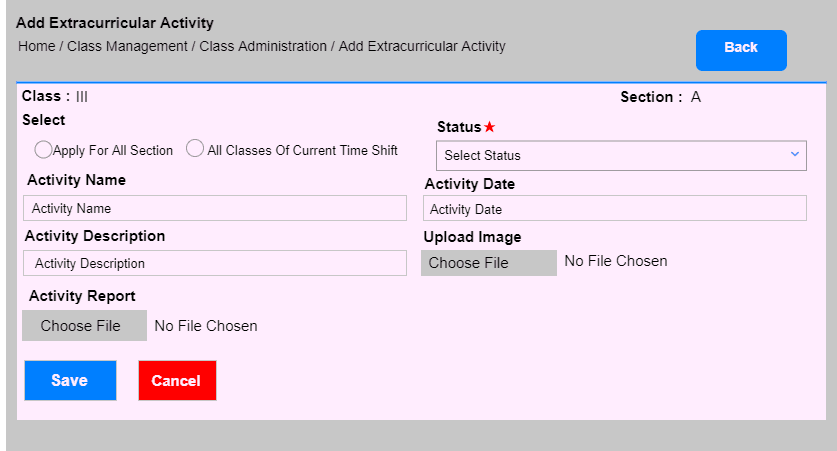
It's genuinely empowering when the parents can not only see a list of ECA but also nominate their child for them. Of course, the school reserves the right to accept the nomination.
A parent can view his/her child's activity, how the child has performed and can also participate as an audience in the activity to help boost their child's confidence
The activities are categorised as compulsory and not compulsory. A child has to participate mandatorily if the competition is compulsory.
11 / 35
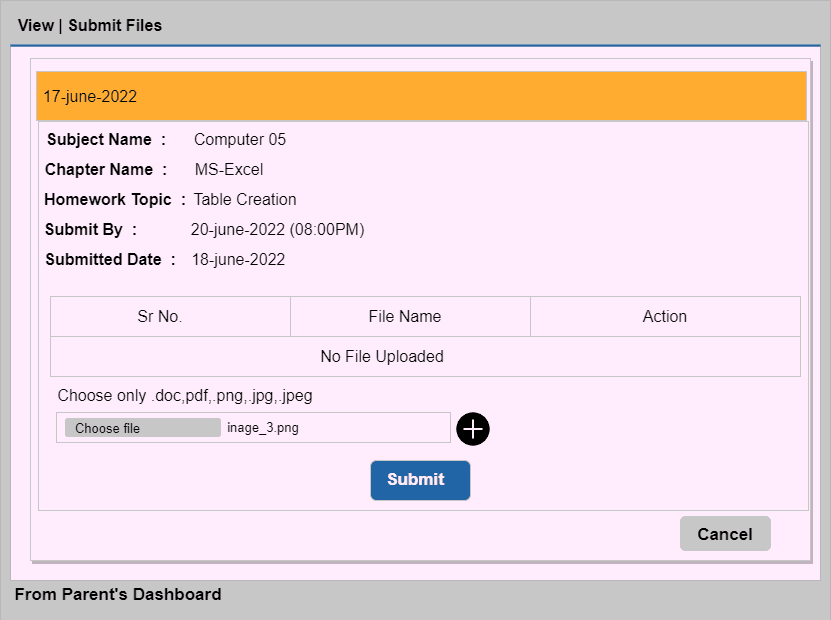
Teachers assign homework with submission deadlines, while students upload completed work as images or documents. Teachers review submissions, provide remarks, and track completion status for better feedback.
Teachers according to their class, section and subject can assign homework mentioning submit time and date.
Students can upload picture of their homework or any document file (word /pdf) and the same will be examined by the teacher
A teacher can put a remark on the same file whether the homweork is completed or not completed or submitted late which can also be viewed by the student.
12 / 35
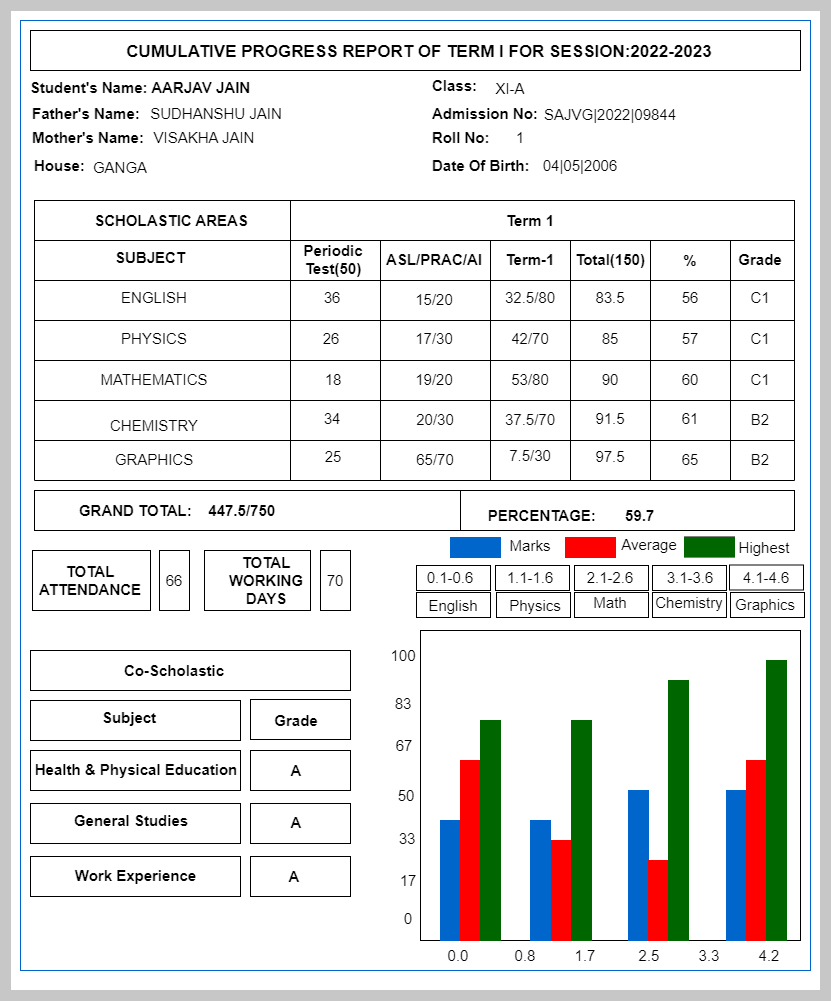
Generate CBSE-compliant report cards and analyze student performance with subject-wise comparisons, trends, and graphical reports. The PTM Dashboard provides a complete view of academics, extracurriculars, and teacher evaluations.
Going beyond academics, this report captures the overall personality of a student by including Extra curricular activity participation and other co-scholastic areas like sports and subjective assessment report from class teachers
Get Ready to Print files for Report Card - automatically for CBSE or any other board as per your requirements
Ability to take YOUR 'Detailed Report Card' online through our technically superior Coding team to deliver automated Report cards as per CBSE specifications
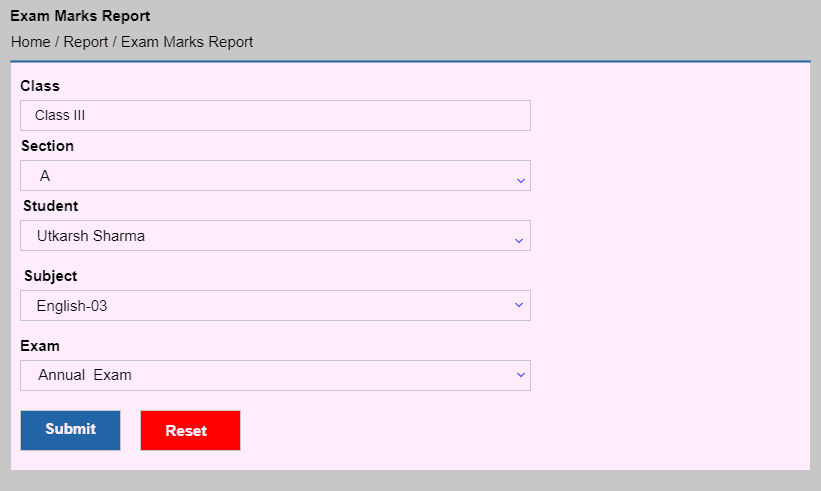
Comprehensive reports through Smart Reports* that gives a very detailed, incisive and thorough analysis
Subject wise & Exam wise meticulous analysis of academic performance with cross section analysis (comparison of student's marks with Median score, Mean marks and highest marks in the class) in vivid, easy to comprehend graphical displays
Trend analysis of Marks and Rank to establish unimpeachable Relative performance of the students in each subject across exams
A comprehensive presentation and display of child’s All-Round performance including academics with elaborate and vivid graphs for quick understanding of relative child performance. Also, allows a peek into student’s extra curricular, sports participation supplemented with personalized evaluation from respective class teacher.
13 / 35
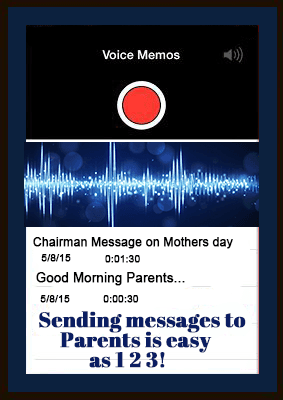
Easily send pre-recorded voice messages to parents, ensuring clear communication for important updates and announcements.
This feature empowers school to share a precorded voice message with the parents and other audience like teachers on the app.
14 / 35
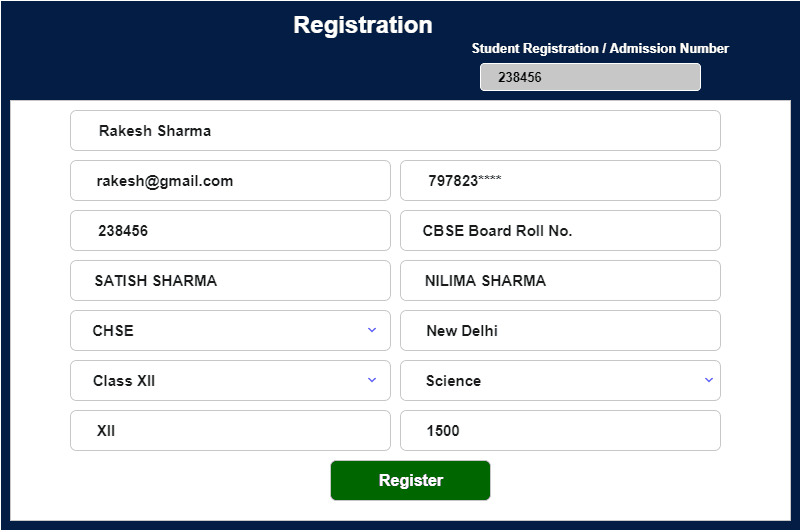
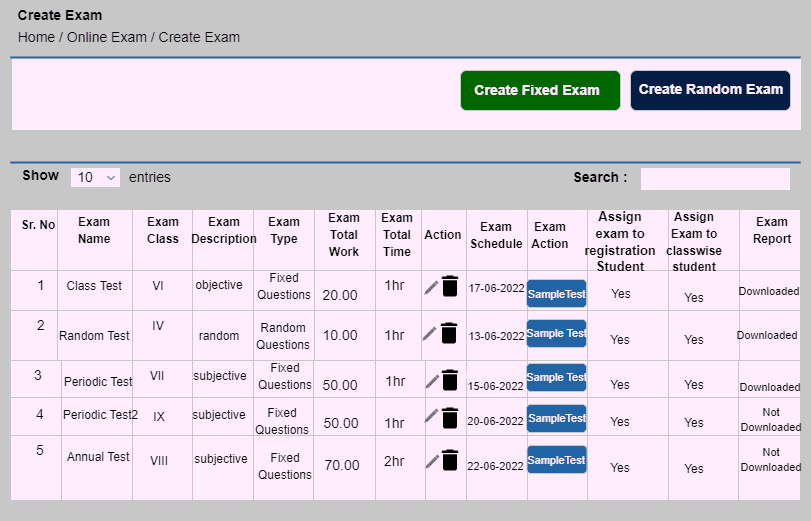
Manage a structured question bank, configure exams with fixed or randomized formats, and enable AI-based proctoring for secure assessments. Auto-generate results in PDF and Excel for quick evaluation.
Questions are composed and stored for future use in the question bank according to subjects and chapters. Questions can be uploaded in word/pdf format as well.
Questions are configured from the question bank or the teacher can even add new questions to the question set. Marks and time limit assigned to each question.
Fixed exam comprises of questions which are already set and appears in the same format. Random questions format changes for each student shuffling the question numbers which doesn't allow the students to cheat.
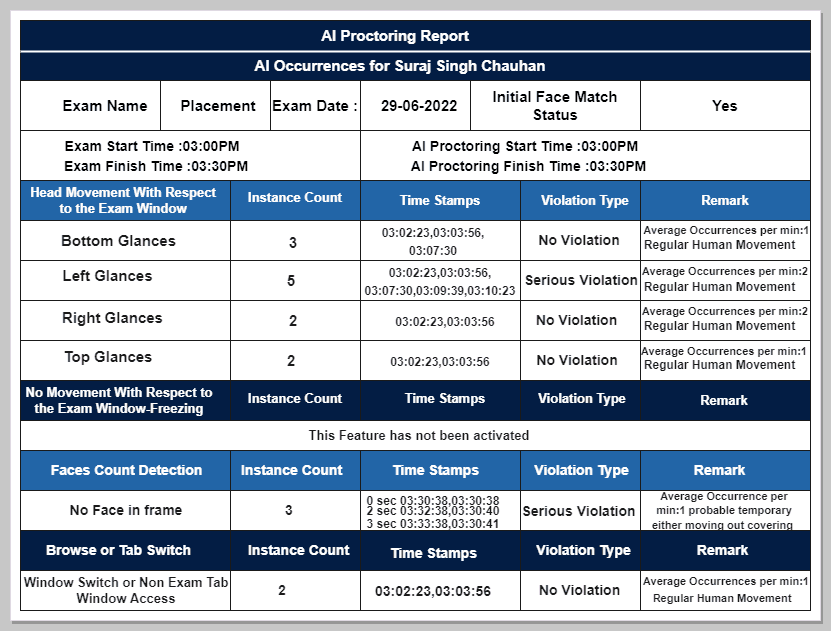
The exam is fully AI enabled, the AI appears as a proctor , checks the movements of the student during the exam. At the end of the exam, proctor result can be downloaded in pdf format.
The results are auto - generated in pdf and excel format as well. Individual scores wll be accessed as well.
15 / 35
Monitor large-scale exams with AI-driven proctoring that detects face verification, movements, and multiple tab usage. Instantly generate proctoring reports with recorded visuals for secure assessments.
The process of Manual Exam proctoring beyond 10 students becomes challenging due to the limited bandwidth of any single human engaged in the exercise. Our AI-based proctoring can allow 1000s of simultaneous test-takers to be monitored and issue alerts for violations.
Our AI engine verifies the user's face and detects movements or sounds in the exam window. It also detects if multiple tabs are opened during the exam
After the end of the exam, the proctor results can be downloaded in pdf format. Proctor also records the visuals of the candidate while appearing the exam.
16 / 35
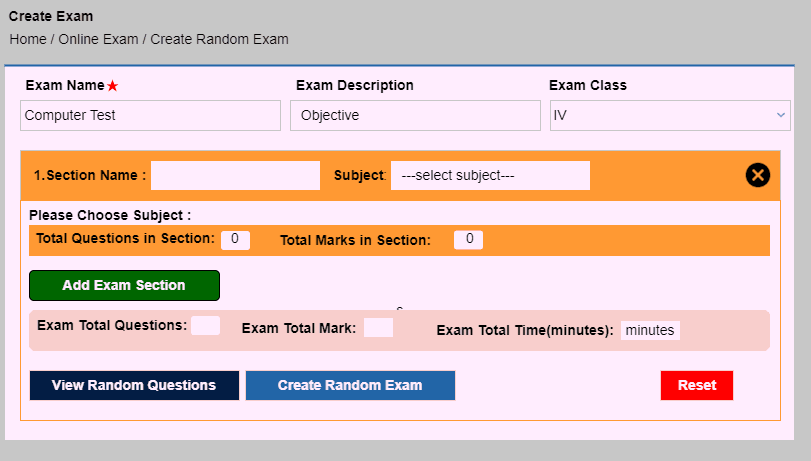
Create unique question papers for each student with shuffled question orders while maintaining set standards.
While creating randomized question sets manually for up to 4 sets of question papers have been done before, but what if we tell you that our system lets you give all 40 students in the class a unique question paper.
All the 40 sets confirming to the exact same criteria and standards that you choose. The question order shuffles everytime you refresh the page.
17 / 35
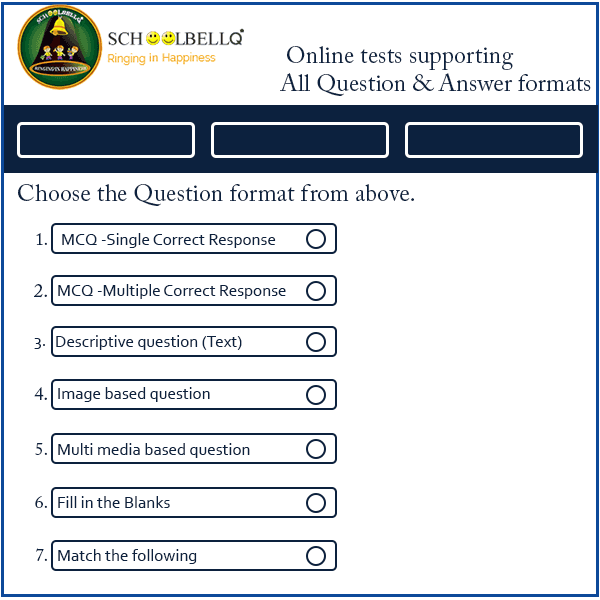
Support MCQs, short answers, and descriptive questions with special characters and image uploads.
Our systems allow users to overcome all limitations of the usual Online Test platforms. They can set Questions beyond MCQs, the question that requires written descriptive response, Special Character support (questions with special Scientific or Math symbols, Questions formats of 'Match the following' or 'Fill in the blank' etc
MCQ question format allows to add more than 2 options for ecah question. The correct answer is mentioned along with the question.
Short questions such as fill in the blanks, match the following have their respective answers tagged along with them. After the exam the correct answer is displayed at the side of the answer given.
The answers to the long questions are set with marks and time limit for each question.
Option to upload a question image is also available.
18 / 35
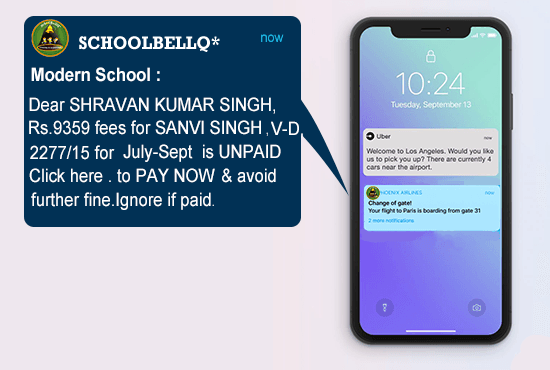
Send personalized fee reminders with student details and invoice numbers. Bulk SMS and emails include a one-click payment link for easy transactions.
Our system delivers personalized fees notifications that give a significantly better impact on payments.
The bulk notifications are personally marked with name, invoice number, student name, amount.
Every Parent gets a personalized payment link enabling payment in a single click in mail or SMS.
19 / 35
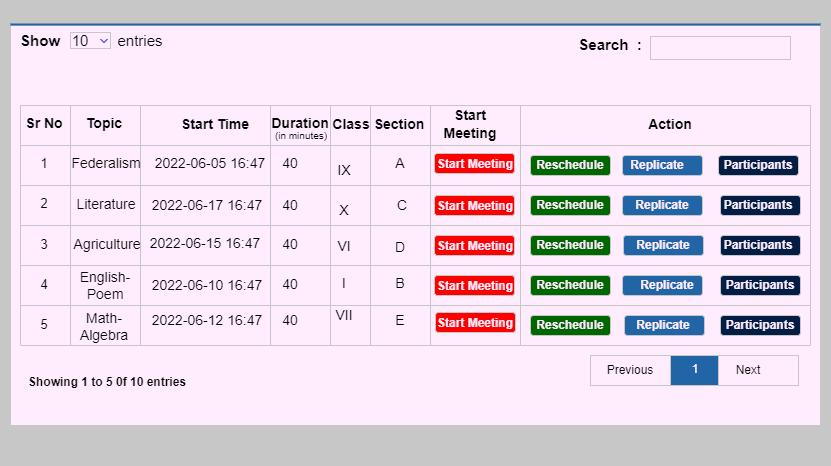
Securely schedule, monitor, and record classes with restricted entry, attendance tracking, and admin oversight.
The classes on a daily basis are scheduled according to the time table. Zoom link is created for students. No student can attend the class without the link.
Class wise attendance is maintained by the teachers and recordings of each class is available for download.
Entry is restricted for students without the link. Students entered late are moved to waiting room from where only the teacher can give them access. Principal or admin can go incognito in any class to inspect any online class
When a teacher logs off, students are disconnected automatically from the class. In case of network outage, the students are moved to waiting room to avoid further chatting.
Parents can attend the zoom class to see the real time activity of the child.
20 / 35
Securely schedule, monitor, and record classes with restricted entry, attendance tracking, and admin oversight.
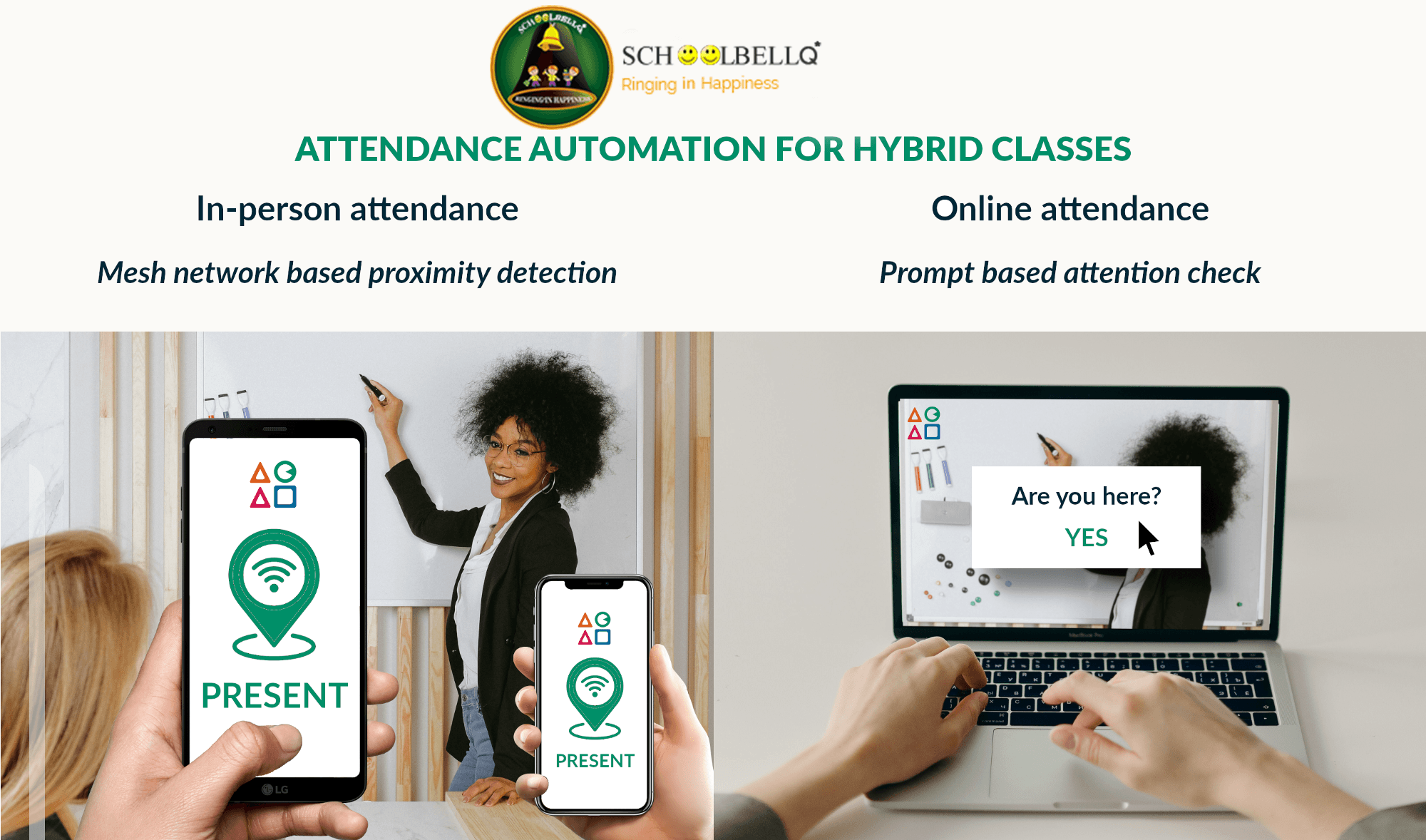
A student can mark himself present in the class by capturing his image in the app. The image will be saved along with the gps of the student present.
This is a mesh-network based capturing based on proximity detection
A student can mark his/her in the online class by entering and marking himself present in the online class.
A prompt message pops up to check the attendance of the student.
21 / 35
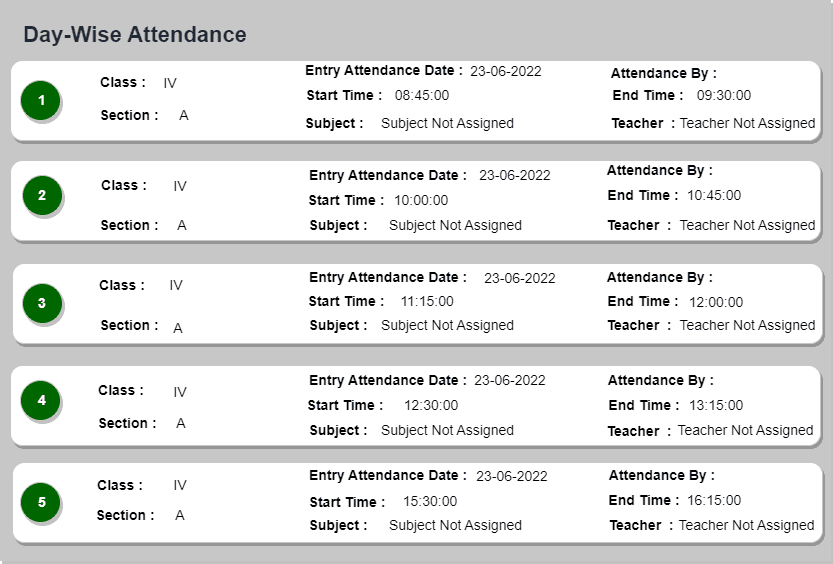
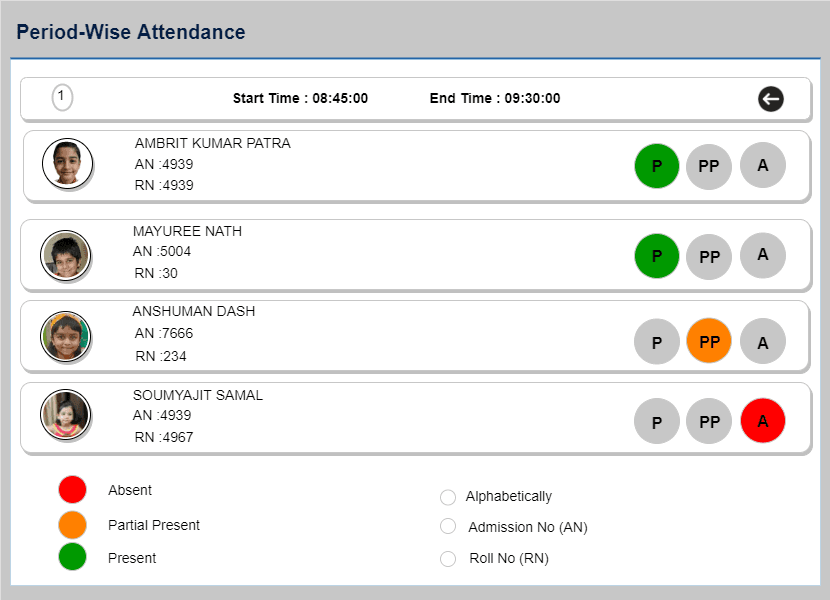
Track student attendance for each period, whether online or offline, with options for present, absent, or partially present status.
Period Wise attendance marks the presence of a student every period in a day. The teacher can mark the attendance if the class happens online or offline.
The attendance can be marked as present, absent and partially present period wise.

22 / 35
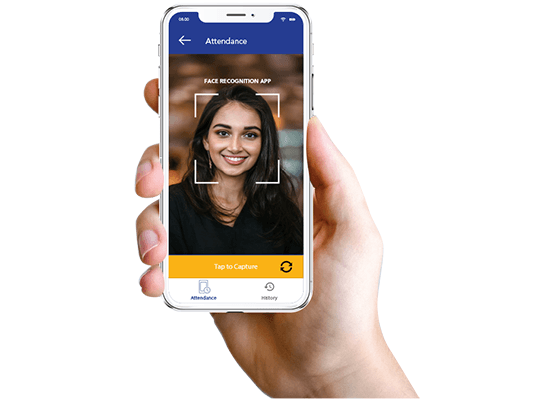
Staff can mark attendance via face recognition with GPS tracking, storing records directly in their profile, eliminating the need for virtual machines.
Like students, the staff can also mark their attendance through the app. It will be stored along with the gps. The details of the staff stored individually, so every time a staff marks his/her attendance, it reflects on their profile. We can replace virtual machines for marking attendance.
23 / 35
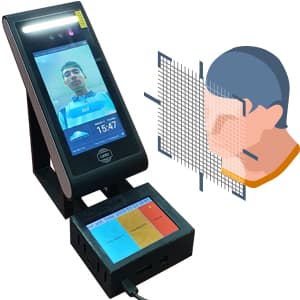
Students mark attendance via face recognition, enabling real-time entry and exit tracking for parents and teachers
A student can mark his/her attendance through face recognition. A student's face is recognised by the sensor as he faces the app on mobile or tab in school entrane or class. The parents and teachers can track the entry and exit of the child. Very easy to use user interfaces with high accuracy at lightening fast speed renders it to the usage in classes.
24 / 35
Generate detailed, customizable annual reports and CBSE-compliant report cards. Available in web, email, and printable formats for easy access.
Get Ready to Print files for Report Card - automatically for CBSE or any other board as per your requirments.
Ability to take YOUR 'Detailed Report Card' online through our technically superior Coding team to deliver automated Report cards as per CBSE specification.
Ability to configure your own custom report cards.
Ability to make the report card available on platforms like webview , email and physically printable formats.

25 / 35
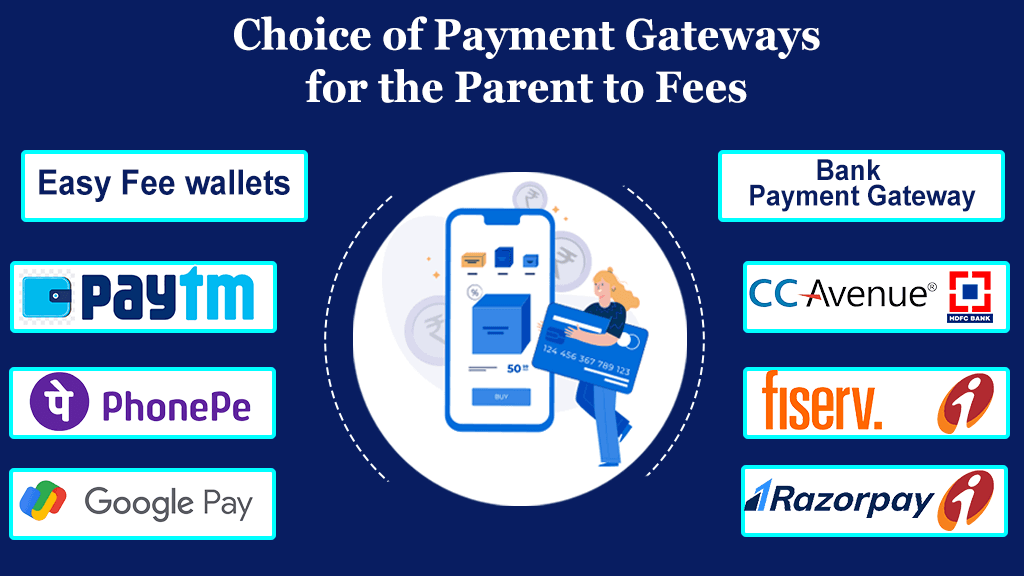
Parents can pay fees via debit/credit cards, UPI, wallets, and net banking using multiple gateway options.
For payment of fees, a parent can pay the payment by different modes. The modes provided are Debit cards, Credit Cards, UPI, Wallets as well Net Banking. Different payment gateways are also available for convinient use of parents.
26 / 35
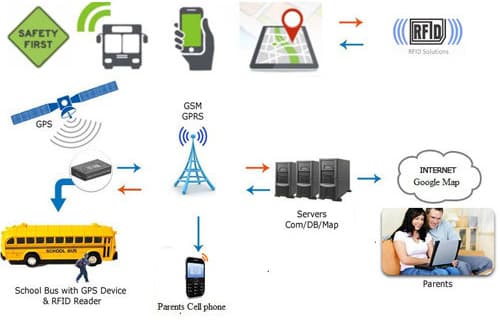
Enhance student tracking, bus monitoring, and automated systems with IoT-integrated RFID and GPS technology.
An intellgent web of things that helps communicate between various devices. Our IOT experties include working with RFID cards along spectrum and integrating the inputs along various software applications.
Our capabilities to integrate GPS devices on the buses and the RFID scanners on the buses also enables us to help parents update his child's pick up and drop location.
Through the world of APIs to the world of hard microprocessors we are able to integrate a lot of devices including intelligent billing systems on prepaid or postpid platforms. For the purpose of illustration we have integrated IOT between washing machine, circuit breaker end user app that enables us to regulate user washing machines based on the usage and the subsequent charging. And all that hapens in a keyless mannner through our apps, microprocessors, api's and IOT's.
27 / 35
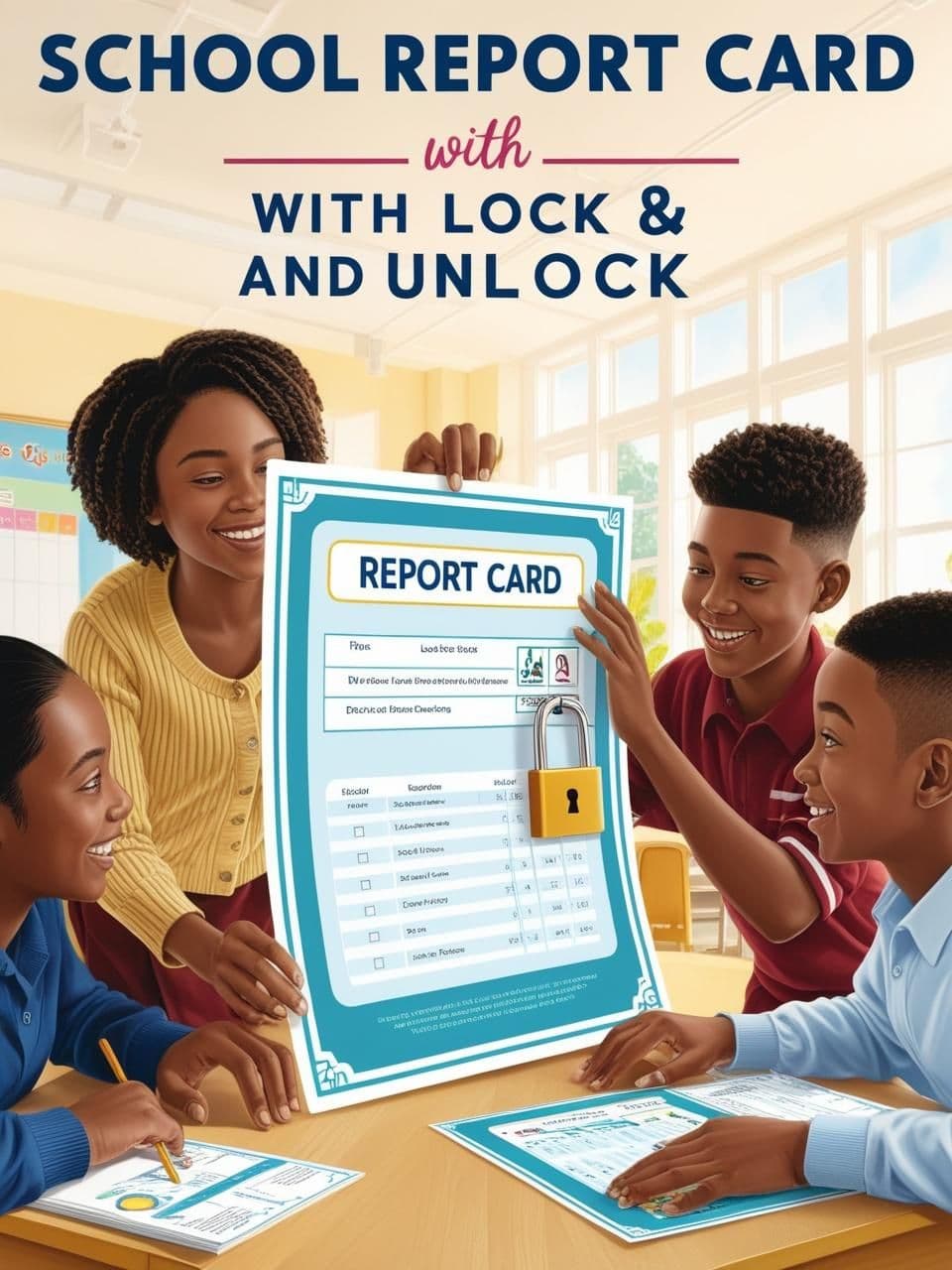
Restrict or enable report card edits with admin control, ensuring data integrity and preventing unauthorized changes.
The lock and unlock functionality for report cards ensures controlled access to report editing, preventing unauthorised changes and maintaining data integrity.
Marks Submission Restricted: Teachers will not be able to edit or save marks once the report card is locked.
No Save Button: The "Save Marks" button becomes invisible or disabled, preventing any modifications.
Data Integrity: Prevents accidental or intentional changes after a set deadline or final submission.
Admin Control: Only authorized personnel (e.g., administrators or heads of departments) can lock the report cards.
Notifications: Teachers receive alerts when the report card is locked, informing them of restricted access.
Marks Submission Enabled: Teachers can enter, edit, and save marks during the unlocked phase.
Save Button Active: The "Save Marks" button remains visible and functional, allowing for changes to be saved.
Limited Timeframe: Report cards can be unlocked for a defined period to allow teachers to complete their submissions. Controlled by Admin: Only authorized users can unlock the report cards for editing, ensuring control over access.
28 / 35
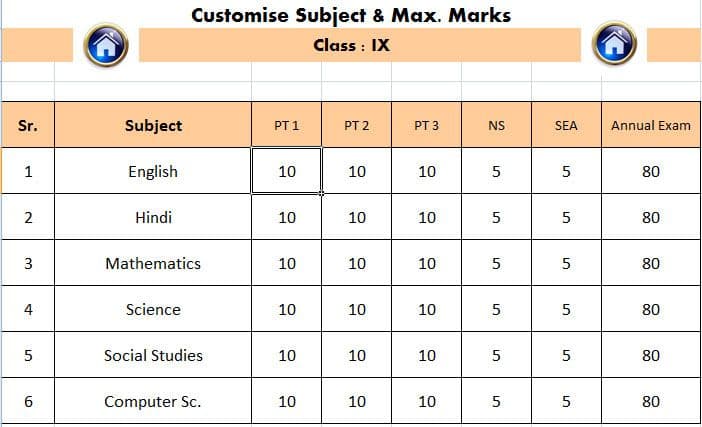
To provide administrators with a clear overview of incomplete marks entries, ensuring timely and accurate submission of all subject marks for report cards.
Subject-Level Monitoring: Administrators can view which subjects have incomplete marks entry for each exam.
Real-Time Status: A live dashboard displaying the status of marks entry (completed/incomplete) for all subjects and classes.
Highlighting Missing Data: Subjects with missing or partial marks are highlighted, making it easier to identify gaps.
Comprehensive View: Admins can view marks entry status for all teachers, subjects, and classes across various exams.
Filter and Search Options: Ability to filter incomplete entries by class, subject, or teacher for quick identification and follow-up.
Notifications: Automated alerts or reminders can be sent to teachers with pending entries, based on the admin’s view.
Exportable Reports: Incomplete marks entry reports can be downloaded in Excel format for offline review and analysis.
Detailed Breakdown: The Excel report includes class, subject, teacher names, and the status of each marks entry (completed/incomplete).
Customisable Reports: Admins can customise the downloaded report to focus on specific exams or classes.
29 / 35
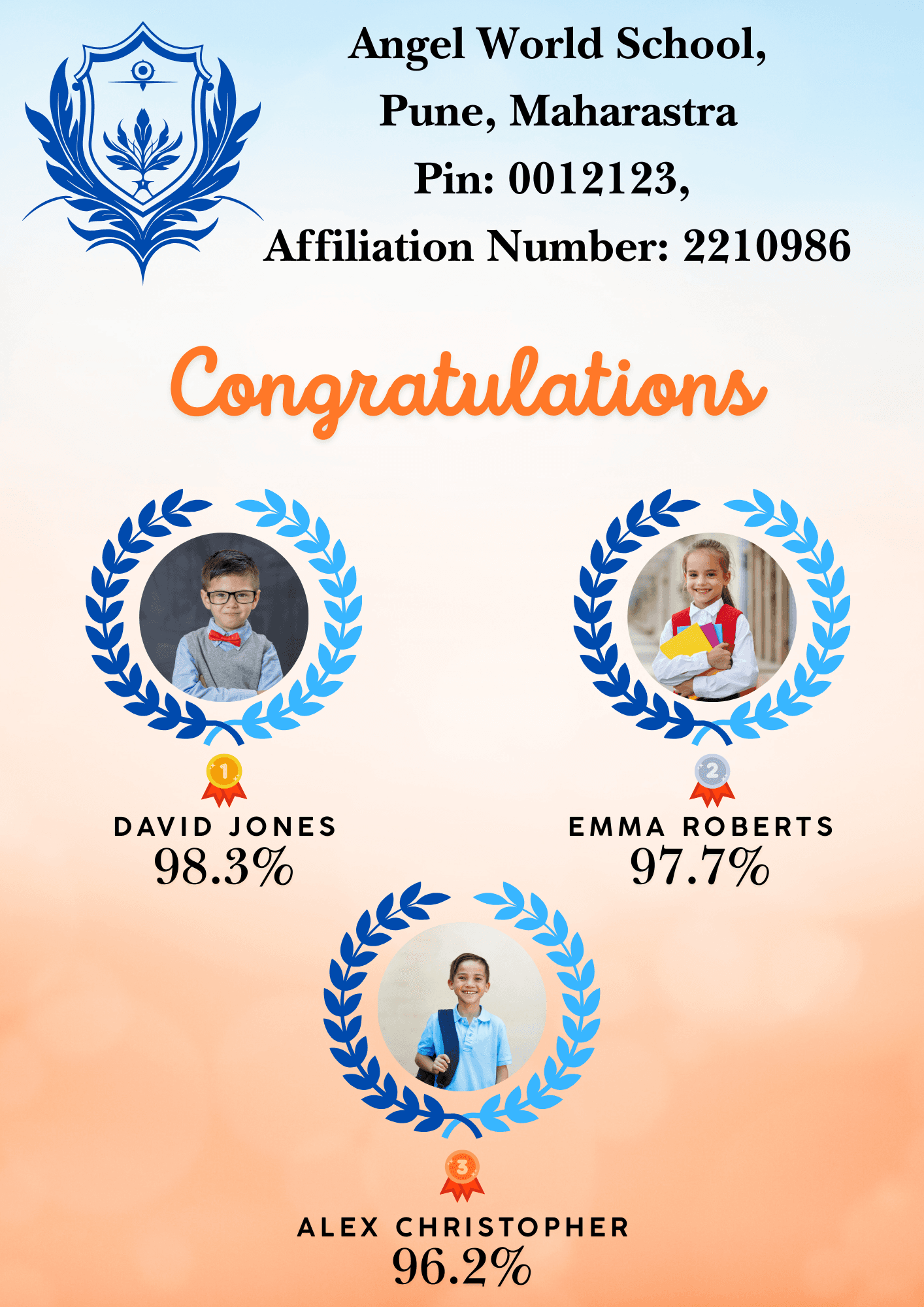
The toppers list feature provides a ranked list of students based on their exam performance, offering a clear view of academic excellence for each exam.
Ranked List by Exam: Displays the top-performing students for each exam, based on total marks or average percentage.
Subject-Specific Toppers (Optional): Can also show toppers for individual subjects, highlighting subject-wise performance.
Overall Rank: Lists students in descending order based on their overall performance.
Name and Rank: Each student's name, along with their respective rank, is displayed in the list.
Marks/Percentage: Total marks or percentage obtained by each topper is shown, providing clear insight into their performance level.
Class & Section: Includes the class and section details to easily identify the toppers from different groups
Printable and Shareable: The toppers list is generated in PDF format, making it easy to print or share digitally.
Clean and Professional Layout: Organized in a visually appealing and structured manner for clarity and professionalism.
Downloadable: Administrators and teachers can download the list directly from the system for records or announcements.
Define Top Rankers: Option to choose how many top students to display (e.g., top 5, top 10, or top 20 students).
Sorting Criteria: Can sort based on total marks, percentage, or subject-wise ranking as per the requirement.
School/Institution Branding: The PDF can include school logos and headers for official use.
30 / 35
The school carousel feature allows schools to showcase their best images, highlighting key events, activities, or achievements in a visually appealing slideshow.
Up to 5 Images in a Single Go: Schools can upload a maximum of 5 images at once, simplifying the process of updating the carousel.
Drag-and-Drop Upload: Easy drag-and-drop or select-and-upload feature for adding images quickly.
Supported Formats: Allows common image formats (JPEG, PNG) to ensure compatibility with school photographs.
Smooth Slideshow Transitions: Images are displayed in a rotating slideshow format, enhancing the visual appeal of the school's webpage or platform.
Customizable Image Order: Schools can arrange the images in the desired sequence for better storytelling or presentation.
Full-Screen Display: Option to view images in full screen for a more immersive viewing experience.
Event Highlights: Schools can use the carousel to showcase pictures from key events (e.g., sports day, annual day, graduation).
Infrastructure and Facilities: Upload images of the school's facilities such as labs, sports grounds, libraries, etc., to attract new students and parents.
Achievements: Display moments of pride, such as awards, student accomplishments, or guest visits.
Upload & Update Flexibility: Administrators can easily add, remove, or replace images as needed to keep the content fresh and relevant.
Real-Time Changes: Any updates to the carousel are reflected in real time, ensuring the latest visuals are always on display.
Image Preview Option: Admins can preview how the images will appear in the carousel before finalizing the upload.
Responsive Design: The carousel is optimized for both desktop and mobile devices, ensuring images are displayed correctly on all screen sizes. Auto-Resize: Images are automatically resized to fit the carousel dimensions, maintaining visual quality.

31 / 35
A structured, goal-oriented roadmap aligning teaching, assessments, and timelines with academic standards, ensuring flexibility and institutional approval.
The Annual Curriculum Plan (ACP) serves as a comprehensive roadmap for academic institutions, ensuring a well-structured, goal-oriented approach to teaching and learning throughout the academic year. With the Head of the institution’s approval, the ACP reflects the school’s commitment to excellence, aligning educational strategies with student needs, institutional objectives, and academic standards.
Our ACP framework is designed to provide a clear outline of learning objectives, teaching methodologies, and evaluation strategies while accommodating innovation and flexibility in the classroom.
Structured Learning Goals
Clearly defined learning outcomes for each subject and grade level.
Alignment with national or regional educational standards.
Detailed Timelines
Year-long schedules for lesson delivery, assignments, projects, and assessments.
Flexibility to accommodate unforeseen events or adjustments.
Teaching Methodologies
Inclusion of traditional, modern, and digital teaching techniques.
Emphasis on interactive, collaborative, and experiential learning strategies.
Evaluation and Assessment Framework
Comprehensive guidelines for formative and summative assessments.
Provisions for periodic reviews and teacher feedback.
Inclusion and Diversity
Adaptations to meet the needs of diverse learners, including students with special educational needs (SEN).
Approval by the Head of the Institution
The ACP is meticulously reviewed and approved by the Head of the institution to ensure:
Alignment with the school’s vision, mission, and values.
Consistency with educational regulations and accreditation standards.
A balanced and achievable workload for students and teachers.
Opportunities for innovation while maintaining academic rigor.
32 / 35
A multi-tier approval system ensuring transparent, efficient leave management with real-time tracking, notifications, and policy customization.
Managing employee leave requests effectively is essential for maintaining organizational productivity and employee satisfaction. Our Multiple Leave Heads Approval System streamlines the leave approval process by ensuring accountability, transparency, and flexibility across various departments and hierarchical levels.
With this system, leave applications pass through designated heads for review and approval, ensuring seamless coordination and minimal disruption to workflows.
Why Choose a Multiple Leave Heads Approval System?
Streamlined Workflow
Automates the routing of leave requests to relevant heads for faster approvals.
Reduces administrative bottlenecks and ensures efficient decision-making.
Enhanced Accountability
Ensures each leave request is reviewed and approved at multiple levels for accuracy and fairness.
Promotes adherence to company leave policies and guidelines.
Flexible and Scalable
Accommodates businesses of all sizes and adapts to varying organizational hierarchies.
Key Features
Multi-Tier Approval Process
Leave requests are routed to multiple department heads or supervisors for sequential or parallel approval.
Customizable Leave Policies
Supports various leave types (annual, sick, maternity, etc.), with specific rules and quotas for each.
Real-Time Notifications
Automated alerts for pending approvals, ensuring timely responses from all approvers.
Integrated Leave Balances
Real-time tracking of leave balances, ensuring accurate data for employees and approvers.
Audit Trails
Maintains a complete history of leave requests and approvals for compliance and transparency.
33 / 35
Streamline performance reviews with customizable assessments, 360-degree feedback, automated reports, and data-driven insights to support professional growth.
Empowering Schools with Seamless Teacher Evaluation Management.
Streamline performance reviews and foster professional growth with our tailored HRMS solutions.
Customizable Evaluation Templates
Design assessments aligned with your institution’s standards and goals.
360-Degree Feedback
Collect insights from peers, administrators, and students for holistic evaluations.
Automated Reporting
Generate detailed performance reports in just a few clicks.
Professional Development Tracking
Monitor progress and plan targeted growth initiatives for educators.
Data-Driven Insights
Use analytics to identify strengths, areas for improvement, and reward top performers.
34 / 35
Effortlessly update student records with detailed remarks, automated notifications, and insightful analytics for accurate tracking and compliance.
Streamline student record updates with precision and ease.
Key Features:
Customizable Status Remarks
Add detailed notes for clear documentation of status changes.
Automated Notifications
Inform relevant stakeholders instantly when a student’s status changes.
Seamless Record Management
Maintain accurate and organized student data for compliance and reporting.
Insightful Analytics
Track trends in student status changes to address underlying issues proactively.
35 / 35
Empowering Educators with Efficient Planning Tools
Stay On Track. Stay Notified Never miss an update—our system keeps you on schedule!
Keep your classrooms on track with our intelligent monitoring system designed for teachers.
Teachers can easily schedule their subject topics with defined start and end dates.
The system ensures accountability by automatically sending reminder emails if a teacher fails to update progress on time.
This feature promotes timely syllabus coverage and transparent academic tracking.
Organize. Integrate. Simplify. Maintain consistency across all academic modules effortlessly.
Simplify your academic planning with our chapter-wise topic management module.
Upload and organize topics under each subject and chapter effortlessly.
The uploaded topics are seamlessly integrated into the Lesson Plan Management, Learning Management System (LMS), Daily timetable and Syllabus Management modules.
This centralised approach ensures consistency, efficiency, and enhanced visibility across all teaching and learning platforms.